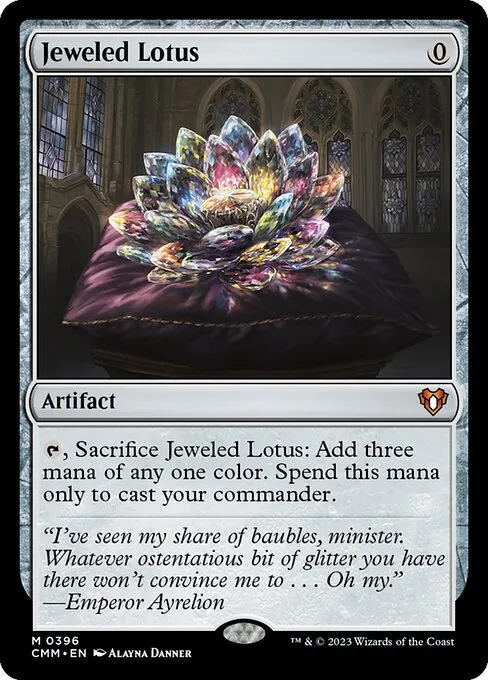
I own a foil Jeweled Lotus that I’ve scanned probably eight times. Not because I keep losing track of it, but because the first seven times I was trying to get the scan to actually work and kept giving up and typing the name in manually. The card is so reflective it’s basically a mirror with a mana cost. Eighth time I figured out the angle trick and now it scans first try every time. Took me longer than I’d like to admit.
Foil cards and alt-art variants are the most annoying cards to scan. They’re also, frustratingly, the cards you most want in your collection tracker because they’re the ones worth actual money. A regular Llanowar Elves? Whatever, miss that scan, who cares. A foil extended-art Dockside Extortionist? Yeah, you want that one logged.
The glare problem
Card scanning works by matching artwork. The camera sees the art, compares it against a database, and finds the match. Foils break this because the reflective layer bounces light directly into the camera lens, washing out the artwork underneath. The scanner isn’t seeing the art anymore. It’s seeing a white rectangle with some vague color blobs.
The fix is stupid simple but nobody thinks of it at first: tilt the card about 15 degrees away from your light source. You can actually watch the glare slide off the artwork in real time. Once the glare moves to the edge or off the card entirely, the scanner picks it up instantly. I do this without thinking now, but the first few weeks I was holding cards flat and wondering why half my foils weren’t registering.
Overhead lighting is the worst for this. If you’re sitting under a ceiling light, every foil card held flat is basically aimed directly at it. The two things that help most: scan near a window with indirect light (cloudy days are genuinely ideal, which is funny), or use a desk lamp aimed at the wall so the light bounces and diffuses before hitting the card. I sort cards at my kitchen table and the overhead fixture there is brutal for foils. I just angle the lamp at the backsplash and it’s fine.
Borderless and extended art
These are a different problem entirely. Traditional Magic cards have a black border and a predictable layout: art box, text box, type line, all in consistent positions. Borderless and extended-art cards break that layout. The art bleeds to the edges. The text is overlaid on the art. The frame elements are in slightly different spots.
Most scanners use artwork recognition, which means they’re matching the actual image, not the card’s layout. So borderless cards usually scan okay. But showcase frames can trip things up. The Eldraine storybook frames, the Kamigawa neon frames, the Brothers’ War retro frames — each of these puts the art in a slightly different context. The recognition still works most of the time, but I’ve noticed it’s slower on showcase cards. Like, a normal card scans in maybe a fifth of a second. A showcase frame might take a full second, or it’ll match to the regular printing instead of the showcase version.
I don’t actually know if this is a fundamental limitation or just something that’ll get better as databases get updated. Probably the latter? The retro-frame cards from Brothers’ War used to cause more misses than they do now.
Etched foils are fine, actually
I expected etched foils to be a nightmare and they’re not. The etched treatment has a textured, matte-ish surface that catches light differently than traditional foils. Less mirror, more shimmer. The artwork stays visible even under harsh light because the reflective layer isn’t a flat plane. Of all the premium treatments WotC has done, etched foils are the most scanner-friendly. Funny that they’re also the least popular among collectors, at least based on what I see people saying online. The shine just isn’t as dramatic.
Sleeves: help or hurt?
So this is where I go back and forth. Sleeves add a layer of plastic between the camera and the card, which means more potential for glare, reflections, and slightly reduced image clarity. But sleeves also diffuse the foil effect a tiny bit, which can actually help on some cards. I’ve had foil cards that wouldn’t scan bare but scanned fine through a matte-finish sleeve. And I’ve had the opposite, where a glossy sleeve turned a scannable card into a glare bomb.
My general approach: scan unsleeved if you can. If you’ve got a pile of valuable foils you don’t want to desleeve (fair), try matte sleeves first. If you’re using glossy Dragon Shields or something, you’ll probably need to desleeve the stubborn ones. I keep a small stack of penny sleeves nearby for re-sleeving after the scan. Bit tedious but faster than typing in card names manually.
Scanning a mixed stack
When I’m processing a prerelease haul or a trade pile, there’s always a mix of regular cards and premium variants. My approach: scan the whole stack once without stopping. The regular cards fly through. The foils and showcase cards either hit or they don’t. After the first pass, I’ve usually got maybe 5-10 cards that didn’t match. Those are the ones I rescan with the angle adjustment or with desleeves.
Trying to perfectly position every foil card on the first pass will slow you down so much that you’ll give up halfway through the stack. I tried that once with a Collector Booster box worth of Double Masters 2022 cards. Took over an hour. Now I just blast through and circle back for the misses. Twenty minutes total for a hundred cards, maybe five minutes of cleanup.
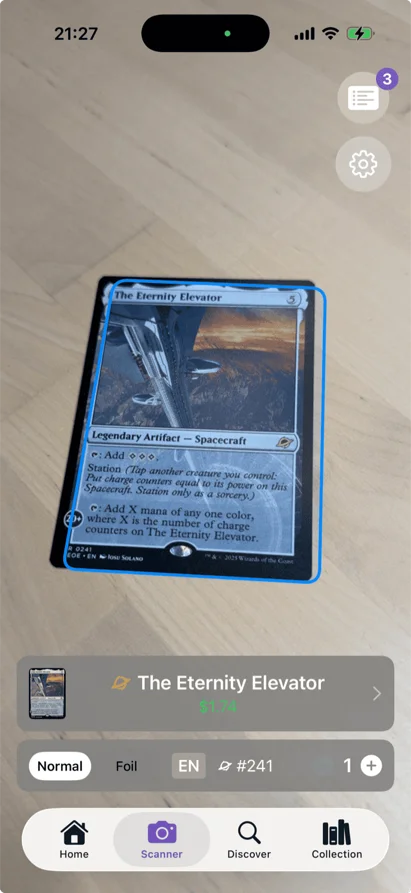
The annoying edge case is serialized cards and textured foils from Collector Boosters. These have a raised surface that catches light in unpredictable ways. The textured foil Elesh Norn from All Will Be One was particularly bad. I ended up scanning it in my closet (dark walls, no overhead light, phone flashlight aimed at the ceiling) because nothing else worked. Felt ridiculous. But the scan nailed it on the first try in there, so maybe my closet is just the optimal scanning environment and I should set up a desk in there.
The surface you scan on matters too. I use a black playmat. White tables and glossy surfaces bounce light back up through the card, especially the sleeve, and it makes everything worse. A playmat, a dark mousepad, even a piece of black construction paper. Anything dark and matte. Sounds like overkill until you’re trying to scan thirty foils in a row and the white IKEA table is giving you a glare halo on every single one.